
A practical testing checklist for the current OWASP Top 10, run only against applications you own or are authorized to test. 14 November 2026, Asia/Dhaka. By the Rokkhe research team.
The OWASP Top 10 is still the list most teams are asked to “cover.” The current released version is OWASP Top 10:2025. If your checklist still starts with the 2021 names, you will miss a new category (mishandling of exceptional conditions), a renamed logging item, and the fact that SSRF now sits under broken access control.
This post is a one-week, authorized testing pass of that 2025 list. It is not a penetration-test report, and it is not a licence to test anyone else’s system. Use two accounts you control, on a staging environment, with written permission if that environment is not yours alone.
TL;DR
- The official 2025 list is published at owasp.org/Top10/2025. Start there, not with a 2021 slide deck.
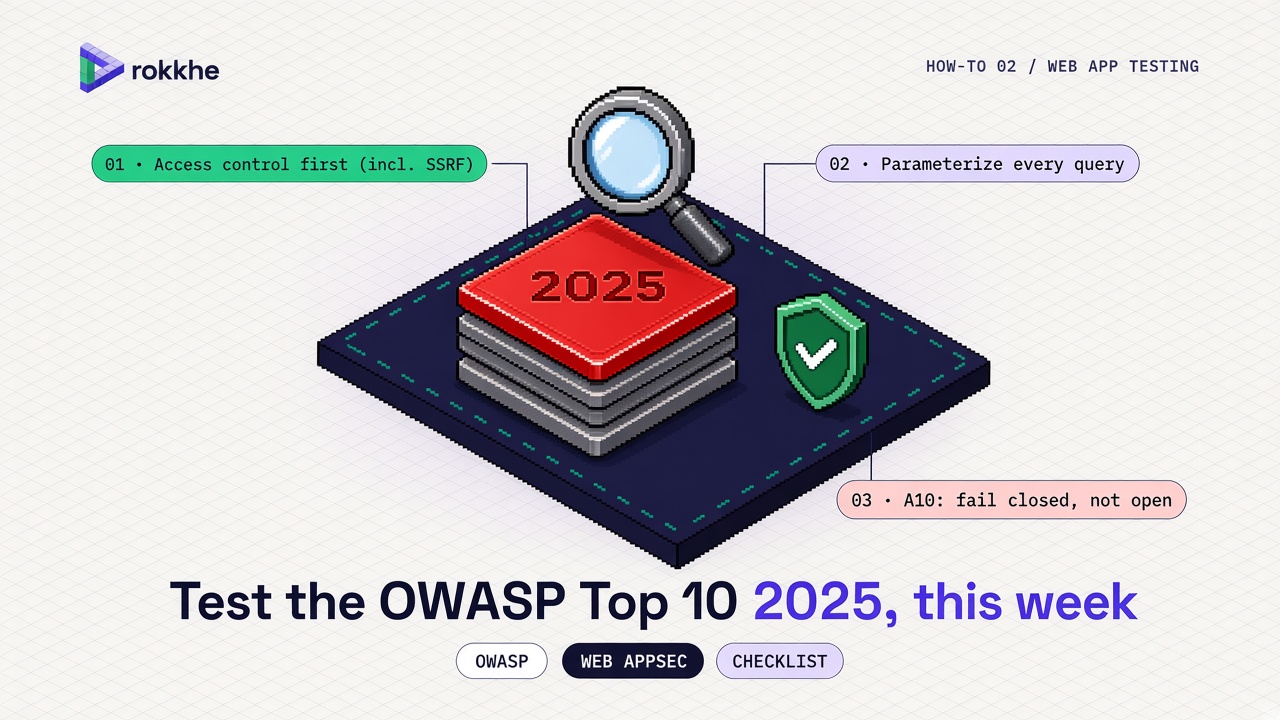
- Spend the first day on A01 Broken Access Control, including SSRF. That is still where most web apps fail in practice, and it is still first on the list.
- The rest of the week covers configuration, cryptography, injection, design, authentication, integrity, logging and how the app fails.
- Fix with the usual, boring controls: server-side authorization, parameterized queries, TLS, MFA, and alerts someone actually reads.
- Do not run exploit payloads against systems you do not own.
What changed in the 2025 list
OWASP’s 2025 list, in official order, is:
- A01:2025 Broken Access Control
- A02:2025 Security Misconfiguration
- A03:2025 Software Supply Chain Failures
- A04:2025 Cryptographic Failures
- A05:2025 Injection
- A06:2025 Insecure Design
- A07:2025 Authentication Failures
- A08:2025 Software or Data Integrity Failures
- A09:2025 Security Logging and Alerting Failures
- A10:2025 Mishandling of Exceptional Conditions
OWASP’s own project page and developer guide describe the headline shifts from 2021: SSRF is folded into A01; “vulnerable and outdated components” is broadened into software supply chain failures; and A10 is new, covering applications that fail open, leak data in errors, or leave a transaction half-applied. A09 is renamed to stress that logs only help if they raise an alert someone acts on. Security misconfiguration moves up to second.
You do not need to memorise the politics of the ranking. You need a pass you can finish.
Start with access control (A01), including SSRF
Create two ordinary users (Alice and Bob) and one admin user, all in staging. Then, with Alice’s session, try to:
- Open Bob’s object by changing an id in the URL or in a JSON body (
/orders/123→/orders/124when 124 is Bob’s). - Open an admin page or admin API (
/admin,/api/admin/users) with Alice’s cookie or bearer token, not the admin’s. - Call a “change role” or “change owner” endpoint as Alice.
- After logout, replay Alice’s cookie or token and see whether it still works.
A clean result is a consistent 403 or 404 from the server, not a hidden button in the browser. If the API returns Bob’s order to Alice, that is a broken access-control finding. Fix it in the service layer: every handler that loads a record by id must check that the caller is allowed to see or change that record. Do not rely on the client to hide the route.
SSRF is in this category in 2025. If your app fetches a URL that a user can influence (a webhook, a preview, an import, a “fetch metadata” field), point it at an address you control on the public internet and confirm the app cannot be steered at internal addresses such as the instance metadata service or localhost. The fix is an allowlist of schemes and hosts, plus a block on private and link-local IP ranges, applied after DNS resolution so a hostname cannot bounce you back to an internal address.
# Read response headers on a staging URL you own.
# Replace the URL. This only sends a GET.
curl -sI 'https://staging.example.invalid/account'

# Look for cookies without Secure or HttpOnly, and for missing
# security headers you have already decided to set.
curl -sI 'https://staging.example.invalid/account' | tr -d '\r' | grep -iE '^(set-cookie|strict-transport-security|content-security-policy|x-frame-options|x-content-type-options):'
If a session cookie is missing Secure or HttpOnly, fix the cookie flags before you argue about more exotic controls.
Check configuration, crypto and injection (A02, A04, A05)
A02 Security Misconfiguration is the default-on, default-password, debug-left-enabled category. On staging, confirm:
- Default accounts are disabled or their passwords are no longer the documented default.
- Debug or profiler endpoints are not reachable from the address you expose.
- Directory listing is off, and error pages do not include stack traces for anonymous users.
- TLS is required; HTTP redirects to HTTPS.
A04 Cryptographic Failures is about data at rest and in transit. Confirm the site actually negotiates a current TLS configuration, cookies that hold session material are Secure, and passwords are stored with a purpose-built password hash (see OWASP’s Password Storage Cheat Sheet), not a single SHA-256 of the password. Do not invent a home-grown cipher “for performance.”
A05 Injection is still the failure to keep data and code separate. The control is the same as it has been for years: parameterized queries, not string formatting, for SQL and for other interpreters.
# Safe pattern: the SQL stays constant, the value is a bound parameter.
# This is an illustration, not an application.
cur.execute(
    "SELECT id, email FROM users WHERE email = %s",
    (email_from_request,),
)
When you test, use only your staging database and inputs that belong to your test accounts. If you want to confirm a query is parameterized, read the code or the ORM log. You do not need a destructive payload to prove the control is missing; a code review of the query builder is enough, and it is safer.
Command injection and template injection follow the same rule: do not send untrusted input to a shell, and do not evaluate untrusted text as a template. Prefer library APIs and an allowlist of argument values.
Design, authentication and integrity (A06, A07, A08)
A06 Insecure Design is not a single test. It is the absence of a threat model for a risky feature: password reset, file upload, payment, or a new admin tool. For this week, pick the one feature that can move money or change identity. Write down the actors, what they should be allowed to do, and what happens when a step fails. If nobody can produce that paragraph, the finding is the missing design work, not a clever exploit.
A07 Authentication Failures (renamed from the 2021 “identification and authentication” title) is easier to test:
- Can you register with a clearly weak password if the product claims to block them?
- Is multi-factor authentication available for privileged users, and can it be skipped on the password-reset path?
- Does account recovery leak whether an email is registered, in a way you did not intend?
- Are session IDs rotated after login, and invalidated at logout?
Use only accounts you created for the test. Do not run a password spray against a real user population.
A08 Software or Data Integrity Failures covers unsigned updates, CI artefacts you do not verify, and insecure deserialization of untrusted data. For a web app this week: confirm the production image or tarball you deploy is the one the pipeline built (a digest, not a floating latest tag), and that you do not deserialize attacker-controlled bytes into application objects. Post 1 in this series covers a related control in GitHub Actions.
Logging, alerting and exceptional conditions (A09, A10)
A09 is no longer only “we have logs.” The 2025 name is Security Logging and Alerting Failures. For each of the tests above that should fail (Alice opening Bob’s order, a rejected login), check that a log line exists with a time, a user id, a resource id, and a result, and that something would page a human if the same failure repeated. A log no one reads is not a control.
A10 Mishandling of Exceptional Conditions is new. It is the app that returns a stack trace, that “fails open” when the authorization service times out, or that credits an account twice when a downstream call errors halfway. For this week:
- Trigger a 404 and a 500 on staging and read the response body as an unauthenticated user. It should not include stack traces, internal hostnames or connection strings.
- If you have a multi-step action (pay, provision, invite), abort it in the middle and check that you cannot be left in an authorized state the design did not intend.
# Authorized request against your staging app: look at an error body.
curl -sS -D - 'https://staging.example.invalid/this-route-should-not-exist' -o /tmp/body.txt
head -c 500 /tmp/body.txt
If the body contains exception names, file paths or SQL, fix the error handler so users get a generic message and the detail stays in a log.
Supply chain failures (A03) without repeating post 1
A03 in 2025 is broader than “run npm audit once.” It includes third-party dependencies, build tools, and how updates are delivered. For this week, do the minimum that is still useful:
- Generate a lockfile (
package-lock.json,poetry.lock,go.sum,Cargo.lock) and commit it. - Run the package manager’s audit command in CI and actually assign the findings.
- Pin CI Actions by SHA if you have not already (see post 1).
# Examples. Run the one that matches the repo, in a clone you own.
npm audit --omit=dev
pip-audit
go list -m all
Do not treat a raw count of audit findings as a severity ranking. Post 4 in this series is about prioritizing CVEs with KEV, EPSS and CVSS.
A one-week testing checklist
Day 1 — A01. Two-user object tests, admin-route tests, token replay, and a first look at any user-controlled URL fetch.
Day 2 — A02 and A04. Defaults, debug endpoints, TLS, cookie flags, password storage, data in transit.
Day 3 — A05 and A08. Parameterized queries, template and command sinks, deploy-artefact integrity.
Day 4 — A07 and A06. Authentication, reset, session rotation, and a one-page threat note for the riskiest feature.
Day 5 — A09, A10 and A03. Logs and alerts for the failed tests, error-page review, lockfile and audit command, then a short write-up of what you fixed.
Write findings down as: category, where, how you tested (authorized), what you changed, how you retested. That is enough to be useful next month.
FAQ
Is this a full penetration test? No. It is a structured self-test of the 2025 Top 10 on an application you are allowed to test. A penetration test can go further, under a written scope.
Should we still use the 2021 list? The current released version is 2025. Keep historical reports labelled as 2021 if that is what they used, but new work should follow the 2025 categories.
Where do I put SSRF on a ticket? Under A01:2025 Broken Access Control, which is where the 2025 list places it.
Can we automate all of this? You can automate header checks, dependency audits and some access-control tests. Authorization still needs cases that only a person who understands the product can invent. Automate the boring checks; do not skip Day 1.
We already have a scanner. Is this redundant? A scanner is a useful input. It does not replace the two-user access-control pass or the “does this error fail open?” check.
Sources
- OWASP, OWASP Top 10:2025
- OWASP, Top 10 project page
- OWASP Developer Guide, OWASP Top 10
- OWASP Cheat Sheet Series, Password Storage Cheat Sheet
Next in the series
Next up: Find leaked secrets in Git and rotate them before they are used.
Rokkhe is an AI pentesting and security-operations workspace. Learn more at rokkhe.com.
Comments
Join the discussionNo comments yet. Be the first to comment.