
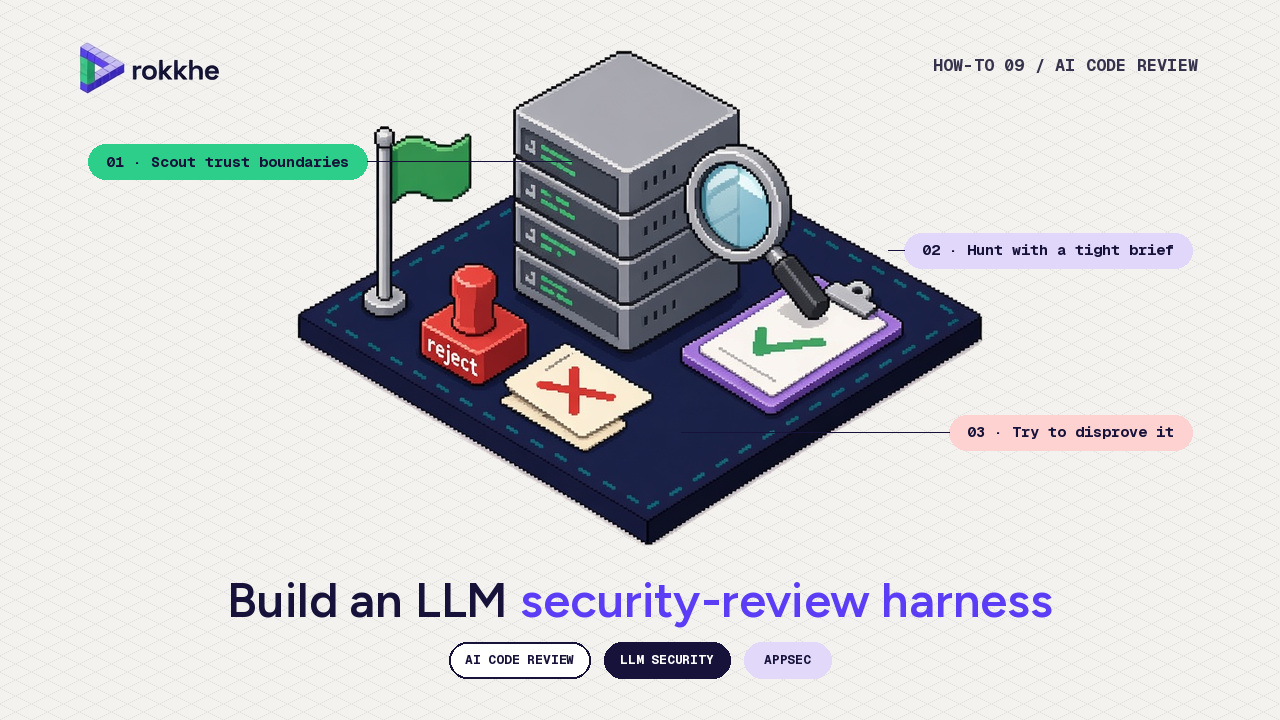
A hands-on architecture for AI-assisted code review, using only public write-ups and a repository you own. 18 November 2026, Asia/Dhaka. By the Rokkhe research team.
A single chat window open on a repository will produce notes. Some of them will be useful. Many of them will be guesses. Public teams that have written about this problem do not stop at the first pass. Cloudflare’s write-ups on AI code review and on building a vulnerability harness describe specialist reviewers, a coordinator, and a later stage whose job is to disprove candidates. Google Project Zero and DeepMind’s Big Sleep work, Anthropic’s /security-review, OpenAI’s Codex Security, and Semgrep’s multimodal triage all, in different ways, put a second check between “the model said so” and “this is a finding.”
This post shows how to stand up a small version of that loop on a repo you own. It does not claim a detection rate for Rokkhe or for any model. It does not include exploit proof-of-concepts. It does not replace a human reviewer.
This is post 9 of the Rokkhe hardening series. Post 8 covered prompt injection in LLM apps, and post 2 the OWASP Top 10 classes (access control, injection) that the hunter briefs below look for. Here the model is the reviewer, not the feature under test.
TL;DR
- Split the work into four phases: scout, hunt, disprove, write it down.
- A finding is not “the model is worried.” It is a source-level trust-boundary failure you can point to, with a verdict of
confirmed,needs_validation, orrejected. - Use a different prompt, and ideally a different run, for the validator than for the hunter. Cloudflare’s public harness post recommends a separate validator, ideally a different model from the one that found the bug.
- Optionally feed a SAST tool such as Semgrep into the same queue, and let the model triage rather than invent issues from nothing.
- Run this on a public demo repository or on code you are authorized to test, never on a customer system without permission.
A single model pass is not a review
Ask a general-purpose model to “find vulnerabilities” and you will often get a long list of theoretical issues, outdated advice, and findings that are already mitigated two files away. Cloudflare’s code-review post is blunt about what a security reviewer should not flag: theoretical risks with unlikely preconditions, defence-in-depth suggestions when a primary control is already adequate, issues in unchanged code that a merge request does not affect.
The same post describes a better shape: several specialists (security, quality, and so on), a coordinator that deduplicates and ranks, and a structured comment rather than a wall of text. The later “build your own vulnerability harness” post, and the public security-audit-skill repository, go further for audit-style work: reconnaissance, coverage-led hunting, a validator that tries to disprove each candidate, a schema for findings, and an independent check of the written claim.
You do not need Cloudflare’s internal fleet to copy the shape. You need the discipline: separate roles, a schema, and a veto.
The public pattern: specialize, hunt, then try to disprove
A compact mapping of that public pattern onto a single-repo harness:
- Scout: map the architecture and trust boundaries into a short
architecture.md. What accepts untrusted input? What can a signed-in user do? Where do you call a shell, a database, a URL fetch, or a model? - Hunt: one job per attack class (injection, access control, SSRF, secret handling, unsafe output), with a brief that says what to flag and what to ignore.
- Disprove: a fresh run, with the candidate and the source, instructed to argue against the finding and to reject it if the boundary is already enforced.
- Write it down: only survivors go into
findings.json, then a short human-readable report.
Google’s Big Sleep write-up is a research system, not a pull-request bot, but it is useful here for two honest points the authors themselves recorded: the model worked best with tools and a concrete starting point (variant analysis of a recent fix), and they called the results highly experimental, saying a target-specific fuzzer would likely be at least as effective. Anthropic’s /security-review and GitHub Action, and OpenAI’s Codex Security (including Semgrep imports and sandboxed validation), are productised versions of “review, then try to validate.” Use them if they fit your stack; the rest of this post is the loop you can run even when you only have an API and a working tree.
Scout: map trust boundaries into a short architecture note
Start with commands that only read the tree, in a repository you own:
# High-level layout. Adjust to the language you use.
find . -type f \( -name '*.py' -o -name '*.ts' -o -name '*.go' \) \
  -not -path './node_modules/*' -not -path './.git/*' | head

rg -n "exec\(|subprocess|os\.system|innerHTML|eval\(|raw\(|fetch\(|requests\." \
  --glob '!node_modules' --glob '!.git'
Give the scout a tight brief. Example intent (edit this; do not paste secrets into a prompt):
You are scouting, not hunting. Read the repository and write architecture.md
with: (1) components, (2) untrusted inputs, (3) privileged sinks
(database, shell, URL fetch, filesystem, model tools), (4) existing
authn/authz checks, (5) a coverage list of files still unexamined.
Do not report vulnerabilities yet. If you are unsure, say so.
The output should be short enough that a human can read it in one sitting. If the scout cannot name the sinks, stop and do that by hand. A hunter with no map will wander.
Hunt with a tight brief, and optionally a SAST queue
Run one hunter at a time, or in isolated sessions, so their notes do not smear together. A security hunter brief, in the spirit of Cloudflare’s public “what to flag / what not to flag” list:
You are hunting for exploitable issues in the changed or listed files.
Flag: injection into SQL, shell, or templates; missing authorization on
an object or function; SSRF on a user-supplied URL; secrets in source;
untrusted data reaching a dangerous sink.
Do not flag: theoretical issues with no path from untrusted input,
style nits, or new libraries to adopt.
For each candidate, cite file, line, the untrusted source, the sink,
and the missing check. Verdict must be "candidate", not "confirmed".
Optionally, start from a deterministic scanner so the hunter is triaging, not inventing:
# Example: Semgrep against a repo you own. Install from Semgrep's official docs.
semgrep scan --config auto --json-output=semgrep.json .
Semgrep Multimodal documents a noise-filtering step (in beta) that marks findings it thinks are likely false positives, and a person can agree (the finding is closed) or disagree (it is reopened). If you use that product path, keep the human in that loop. OpenAI’s open-source codex-security repository also documents importing Semgrep findings into Codex Security. Either way, the rule is the same as in post 8: the model proposes, the application or the reviewer disposes.
Do not paste customer source or production secrets into a third-party model without a contract and a pipeline that your security team has approved. Use a demo repo until that path exists.
Disprove: a fresh validator and a findings schema
Start a new session (or a new agent) for each candidate, with only the cited files and the candidate record. Instruct it to try to reject the issue:
You are a validator. Your job is to disprove the candidate if you can.
Read the cited files and any nearby authorization or sanitization.
Reject the candidate if: the sink is not reachable from untrusted input,
a check already enforces the boundary, or the claim is generic.
Confirm only if you can name the source, the sink, the missing check,
and a bounded way a test (not an exploit) would show it.
Verdict: confirmed | needs_validation | rejected. Explain briefly.
That “bounded way a test would show it” might be “Alice’s token returned Bob’s object in staging,” not a public exploit string. If a required behaviour cannot be observed locally, the verdict is needs_validation, not confirmed. Cloudflare’s public skill uses that three-way split and withholds severity from unvalidated items. Copy that.
A schema small enough to keep in git:
{
  "id": "F-001",
  "title": "Authorization missing on order GET",
  "verdict": "confirmed",
  "source": "app/api/orders.py:88 request.user not checked",
  "sink": "Order.objects.get(id=...)",
  "boundary": "object-level authorization",
  "how_to_test": "In staging, call GET /orders/{bob} as alice; expect 403.",
  "validator_notes": "No ownership check in get_order."
}
Rejects stay in the file. They are how you measure whether the hunter is noisy. Do not publish them as if they were issues.
A mechanical check can verify the schema (required keys, allowed verdicts) before a report is generated. That is a JSON Schema or a 20-line script, not an LLM.
Run it on a public demo repo, not a customer system
Pick a small public application you are allowed to modify, or a throwaway clone of your own service. Run scout → hunt → disprove once, then read every confirmed item yourself. If you cannot follow the source path, downgrade it.
A local driver, in outline:
python3 harness.py scout  --repo ./demo --out ./out/architecture.md
python3 harness.py hunt   --repo ./demo --arch ./out/architecture.md --out ./out/candidates.json
python3 harness.py validate --repo ./demo --in ./out/candidates.json --out ./out/findings.json
python3 harness.py report --in ./out/findings.json --out ./out/REPORT.md
The implementation of harness.py is yours: it can call a vendor API, Claude Code’s /security-review, or a local model. The point of this post is the stages and the schema, not a particular vendor. When you write about a run, say which model and which scanner you used, and do not invent a percentage of “real bugs caught.”
Google’s Big Sleep authors, again, were careful: they called their results highly experimental. Your first harness will be noisier than their write-ups. That is expected. The validator and the human are how you keep the noise out of the backlog.
Checklist
- Scout produces a short architecture note with inputs, sinks and existing checks.
- Hunters have a written “flag / do not flag” brief.
- Candidates cite a file and line, a source and a sink.
- A separate validator run can reject a candidate.
-
findings.jsonallows onlyconfirmed,needs_validation, orrejected. - Confirmed items have a bounded, authorized test idea, not an exploit.
- A human reads every confirmed item before it becomes a ticket.
- Customer code and secrets do not go to an unapproved model endpoint.
- The first successful run is on a demo or self-owned repo.
FAQ
Is this a substitute for a penetration test or for SAST? No. It is a review loop you can run often. A scanner still helps; a human still decides.
Can we auto-merge “fixes” the model proposes? Not from the first harness. A proposed patch needs the same tests and review as any other change. Public systems that submit patches (for example OSS-Fuzz’s AI patches beta) still test that each patch compiles and fixes the crash, and have human “patch shepherds” review it before it reaches maintainers.
Should hunter and validator be the same model? They can be, in a pinch. Cloudflare’s harness writing argues there is a benefit to a second, different judge. At minimum, use a fresh session and a contradicting brief.
Why not just enable a vendor bot and stop? You can. Read their docs (Anthropic, OpenAI, Semgrep, and others are cited below), then still decide what “confirmed” means in your process. The schema is how those outputs become tickets you trust.
Sources
- Cloudflare, Orchestrating AI Code Review at scale
- Cloudflare, Build your own vulnerability harness
- Cloudflare, security-audit-skill
- Anthropic, Automate security reviews with Claude Code
- OpenAI, Codex Security: now in research preview
- OpenAI, codex-security: Import Semgrep findings
- Semgrep, Multimodal overview
- Google Project Zero / DeepMind, From Naptime to Big Sleep
- OSS-Fuzz, AI patches (beta)
Next in the series
Next up: Write and test your first Sigma detection rules, and the downloadable series checklist.
Previous: Stop prompt injection in your LLM app: a practical OWASP LLM Top 10 checklist. Start of the series: Pin your GitHub Actions by commit SHA and lock workflow permissions.
Rokkhe is an AI pentesting and security-operations workspace. Learn more at rokkhe.com.
Comments
Join the discussionNo comments yet. Be the first to comment.